

Microsoft AZ-801J exam dumps : Configuring Windows Server Hybrid Advanced Services (AZ-801日本語版)
- Exam Code: AZ-801J
- Exam Name: Configuring Windows Server Hybrid Advanced Services (AZ-801日本語版)
- Updated: Nov 03, 2026 Q & A: 297 Questions and Answers

 PDF Version Demo

PC Test Engine
Microsoft AZ-801日本語 Value Pack (Frequently Bought Together)

- If you purchase Microsoft AZ-801日本語 Value Pack, you will also own the free online test engine.
- PDF Version + PC Test Engine + Online Test Engine
- Value Pack Total: $139.98 $89.99
About Microsoft AZ-801日本語 Exam
Watch the PracticeTorrent website — discounts are offered at intervals throughout 2026. Whenever you buy, the Microsoft Configuring Windows Server Hybrid Advanced Services (AZ-801日本語版) package contains the same 297 practice questions with 365 days of free updates included.
Microsoft AZ-801日本語 Exam Overview:
| Certification Vendor: | Microsoft |
|---|---|
| Exam Name: | Configuring Windows Server Hybrid Advanced Services |
| Exam Number: | AZ-801 |
| Passing Score: | 700 |
| Exam Format: | Multiple choice, Case study, Drag and drop, Build list, Multiple response |
| Exam Price: | USD 165 |
| Available Languages: | Italian, Chinese (Traditional), Arabic (Saudi Arabia), Russian, French, English, Chinese (Simplified), Spanish, Japanese, German, Portuguese (Brazil), Korean |
| Certificate Validity Period: | 1 year |
| Related Certifications: | Microsoft Certified: Windows Server Hybrid Administrator Associate |
| Exam Duration: | 120 minutes |
| Real Exam Qty: | 40-60 |
| Sample Questions: |  |
| Exam Way: | Online proctored or in-person at a testing center |
| Pre Condition: | Candidates should have experience with Windows Server, Azure, and Active Directory Domain Services (AD DS). |
| Official Syllabus URL: | https://learn.microsoft.com/en-us/credentials/certifications/exams/az-801/ |
Microsoft AZ-801日本語 Exam Syllabus Topics:
| Section | Weight | Objectives |
|---|---|---|
| Topic 1: Manage virtual machines and containers | 15-20% | - Manage Hyper-V and guest virtual machines
|
| Topic 2: Implement and manage on-premises and hybrid high availability solutions | 15-20% | - Implement Storage Spaces Direct
|
| Topic 3: Implement and manage an on-premises and hybrid disaster recovery solution | 10-15% | - Implement disaster recovery by using Azure Site Recovery
|
| Topic 4: Implement and manage an on-premises and hybrid server infrastructure | 15-20% | - Manage Windows Server by using domain-based Group Policies
|
| Topic 5: Secure Windows Server on-premises and hybrid infrastructures | 25-30% | - Secure a hybrid Active Directory (AD) infrastructure
|
Common Questions About the Microsoft Configuring Windows Server Hybrid Advanced Services (AZ-801日本語版) Exam
The AZ-801日本語 exam is a Microsoft certification exam validating the Microsoft Configuring Windows Server Hybrid Advanced Services (AZ-801日本語版) syllabus shown above. It belongs to these credential paths: Microsoft Certified: Windows Server Hybrid Administrator Associate. Candidates in 2026 prepare for it with PracticeTorrent's 297 practice questions, available as a printable PDF, a Windows Desktop Test Engine, and an Online Test Engine — three versions of the same materials.
Online proctored or in-person at a testing center Register for the Microsoft Configuring Windows Server Hybrid Advanced Services (AZ-801日本語版) exam through these official channels:
After booking, PracticeTorrent delivers your practice questions within 1 minute — preparation starts the same day.
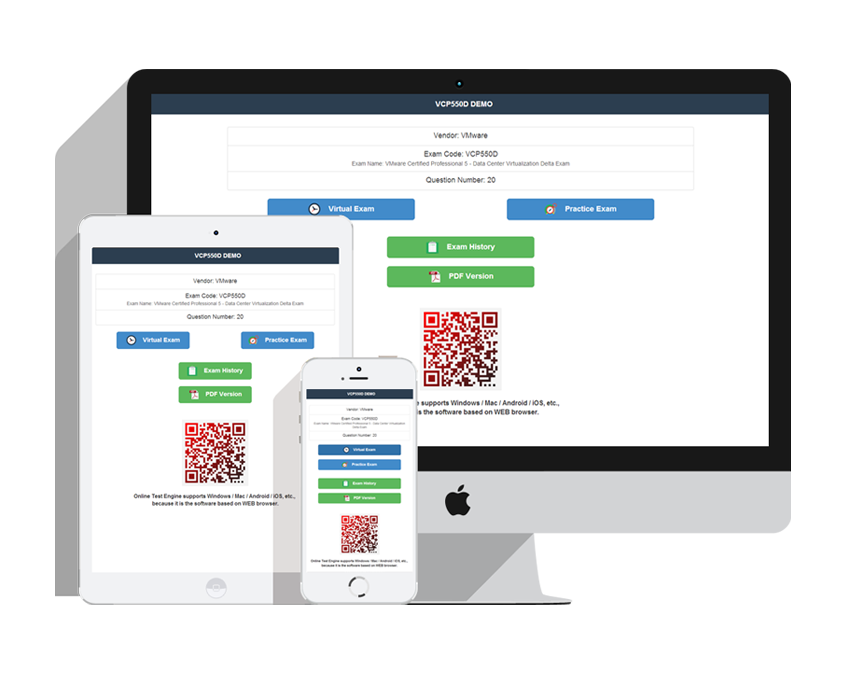
Three versions of the same study materials: a printable, expert-prepared PDF with free demo download and instant access; a Desktop Test Engine for Windows that simulates the real exam with two practice modes and works offline; and an Online Test Engine for any browser on Windows, Mac, Android, and iOS with test history and performance review. All 297 practice questions are identical across versions. Every purchase includes 365 days of free updates, a 50% renewal discount afterward, and unlimited computer installations — and the website runs discounts at intervals, so timing your purchase can save a little more.
The Microsoft Configuring Windows Server Hybrid Advanced Services (AZ-801日本語版) exam contains 40-60 to complete within 120 minutes. Timed simulation in the PracticeTorrent Desktop Test Engine teaches that rhythm before exam day does.
The official Microsoft Configuring Windows Server Hybrid Advanced Services (AZ-801日本語版) outline defines 5 domains. The leading three are Implement and manage an on-premises and hybrid server infrastructure (15-20%), Manage virtual machines and containers (15-20%), and Secure Windows Server on-premises and hybrid infrastructures (25-30%). The full list is in the topics section above, and PracticeTorrent's 297 practice questions cover each one.
Microsoft recommends these training resources for the Microsoft Configuring Windows Server Hybrid Advanced Services (AZ-801日本語版) exam:
Follow the training with steady self-testing — the 297 practice questions from PracticeTorrent help you apply theory and fill any gaps the training leaves.
Candidates should have experience with Windows Server, Azure, and Active Directory Domain Services (AD DS). Since requirements change over time, confirm the latest on the official Microsoft exam page before scheduling.
PracticeTorrent issues a full refund if you take the Microsoft Configuring Windows Server Hybrid Advanced Services (AZ-801日本語版) exam within 60 days of purchase and do not pass. The policy does not apply if the exam is taken within 3 days of purchase, if the exam was never actually taken, or to free materials or expired orders, and the candidate name must match the payer name. Submit a scan of your enrollment slip and the official Score Report PDF within 2 days of the exam; claims are processed within 7 days. Alternatively, exchange for two free exam products of equal value and keep your original update service. Orders arrive by email within 1 minute — contact support if nothing arrives within 2 hours.
The Microsoft Configuring Windows Server Hybrid Advanced Services (AZ-801日本語版) exam requires 700 to pass, and registration costs USD 165. A failed attempt means paying the same fee again — a readiness check with the PracticeTorrent engines before booking is the cheaper option.
Microsoft Configuring Windows Server Hybrid Advanced Services (AZ-801日本語版) Sample Questions:
ハイパーコンバージド構成でStorage Spaces Directクラスターを使用しています。このクラスターは、Windows Server 2022を実行する3つのノードで構成されています。また、20台のHyper-V仮想マシンをホストしています。
サーバーをWindows Server 2025にアップグレードする必要があります。ソリューションは以下の要件を満たす必要があります。
仮想マシンのダウンタイムを最小限に抑える。
管理業務の手間を最小限に抑える。
各ノードに対して、どの4つの操作を順番に実行すべきでしょうか?回答するには、操作リストから適切な操作を回答欄に移動させ、正しい順序に並べ替えてください。
Correct Answer:

Explanation:
Detailed Explanation
For a hyper-converged Storage Spaces Direct cluster, Microsoft ' s documented per-node in-place upgrade path drains the node of virtual machines first (Suspend-ClusterNode -Drain live-migrates the VMs off before the node pauses), then places the node ' s drives in storage maintenance mode so the storage subsystem stops routing I/O to it, then runs setup.exe to perform an in-place upgrade to Windows Server 2025 while keeping personal files and apps, and finally takes the node out of storage maintenance mode and resumes it in the cluster so mirror repair can complete before moving to the next node. This sequence keeps every VM running throughout each node ' s upgrade, satisfying both the minimal-downtime and minimal-administrative-effort requirements, and is repeated node by node until the whole cluster is on Windows Server 2025.
Official Reference
Upgrade a Storage Spaces Direct cluster - https://learn.microsoft.com/en-us/windows-server/storage/storage- spaces/upgrade-storage-spaces-direct
Windows Serverを実行するServer1という名前のHyper-Vホストがあります。Server1は、Windows Serverを実行し、複数のファイル共有を持つVM1という名前の仮想マシンをホストしています。Azureサブスクリプションをお持ちです。
Azure Storage Mover を使用してファイル共有を Azure Storage に移行する必要があります。このソリューションは、ダウンタイムと管理作業を最小限に抑える必要があります。オンプレミスネットワークで最初に行うべきことは何ですか?
- A. VM1 に Azure Connected Machine エージェントをインストールします。
- B. Server1 に Azure Storage Mover エージェントをインストールします。
- C. Server1 に Azure Connected Machine エージェントをインストールします。
- D. VM1にAzure Storage Moverエージェントをインストールします。
Correct Answer: B 🗳️
Explanation: Only visible for PracticeTorrent members. You can sign-up / login (it's free).
Windows Server を実行する VM1 という名前の Azure 仮想マシンがあります。
新しい基幹業務 (LOB) アプリケーションを VM1 にデプロイする予定です。
アプリケーションが子プロセスを作成できることを確認する必要があります。
VM1 で何を構成する必要がありますか?
- A. Microsoft Defender Credential Guard
- B. Microsoft Defender SmartScreen
- C. エクスプロイト保護
- D. Microsoft Defender アプリケーション コントロール
Correct Answer: C 🗳️
Explanation: Only visible for PracticeTorrent members. You can sign-up / login (it's free).
Windows Server を実行し、Web サーバー (IIS) サーバー ロールがインストールされ、App1 という名前の ASP.NET ベースの Web アプリをホストする Server1 という名前のオンプレミス サーバーがあります。
Azure App Service アプリと ACR1 という名前の Azure コンテナー レジストリを含む Azure サブスクリプションがあります。
Azure Migrate を使用して、App1 を App Service コンテナーに移行する予定です。App1 のコンテナー イメージは ACR1 に保存されます。
App Containerization ツールが App1 のコンテナを ACR1 に保存できることを確認する必要があります。このソリューションは、最小権限の原則に従う必要があります。
アプリ コンテナ化ツールではどの資格情報を使用する必要がありますか?
- A. Microsoft Entra サービス プリンシパル
- B. マネージドID
- C. Microsoft Entra ユーザー
- D. ACR1の管理者ユーザーアカウント
Correct Answer: A 🗳️
Explanation: Only visible for PracticeTorrent members. You can sign-up / login (it's free).
注: この質問は、同じシナリオを示す一連の質問の一部です。このシリーズの各質問には、指定された目標を達成できる可能性のある独自の解決策が含まれています。一部の質問セットには複数の正しい解決策が含まれる場合がありますが、他の質問セットには正しい解決策がない場合があります。
このセクションの質問に回答すると、その質問に戻ることはできません。そのため、これらの質問はレビュー画面には表示されません。
Windows Server を実行する Server1 という名前のサーバーがあります。
特定のアプリケーションだけが Server1 上の保護されたフォルダー内のデータを変更できるようにする必要があります。
解決策: アプリとブラウザーのコントロールから、レピュテーションベースの保護を構成します。
これは目標を達成していますか?
- A. はい
- B. いいえ
Correct Answer: B 🗳️
Explanation: Only visible for PracticeTorrent members. You can sign-up / login (it's free).
Viewing page 1 out of 60 pages.
Viewing questions 1-5 out of 297 questions.


Related Exams
Related Certifications
Over 81356+ Satisfied Customers
Popular Vendors
What Clients Say About Us
Why Choose Us
-
QUALITY AND VALUE
PracticeTorrent Practice Exams are written to the highest standards of technical accuracy, using only certified subject matter experts and published authors for development - no all study materials.
-
TESTED AND APPROVED
We are committed to the process of vendor and third party approvals. We believe professionals and executives alike deserve the confidence of quality coverage these authorizations provide.
-
EASY TO PASS
If you prepare for the exams using our PracticeTorrent testing engine, It is easy to succeed for all certifications in the first attempt. You don't have to deal with all dumps or any free torrent / rapidshare all stuff.
-
TRY BEFORE BUY
PracticeTorrent offers free demo of each product. You can check out the interface, question quality and usability of our practice exams before you decide to buy.
Our Clients











Get the high score and achieve the certification with our latest practice torrent. The complete exam prep torrent contains the questions & answers which are related to the actual test. You can pass your actual test at first attempt.
Tags
- AZ-801J practice torrentMay 28, 2022
- 3V0-21.25 practice torrentMay 28, 2022
- Marketing-Cloud-Consultant practice torrentMay 28, 2022
- SPLK-5003 practice torrentMay 28, 2022
Contact Us
From Monday to Saturday
Support: Contact now
If you have any question please leave me your email address, we will reply and send email to you in 12 hours.
Copyright © 2026 PracticeTorrent NETWORK CO.,LIMITED. All Rights Reserved. All trademarks used are properties of their respective owners. Privacy Policy