

Best exam practise software by PracticeTorrent. I achieved 96% marks. Highly suggest all to buy the pdf file.
 Drew
Drew 


 PDF Version Demo


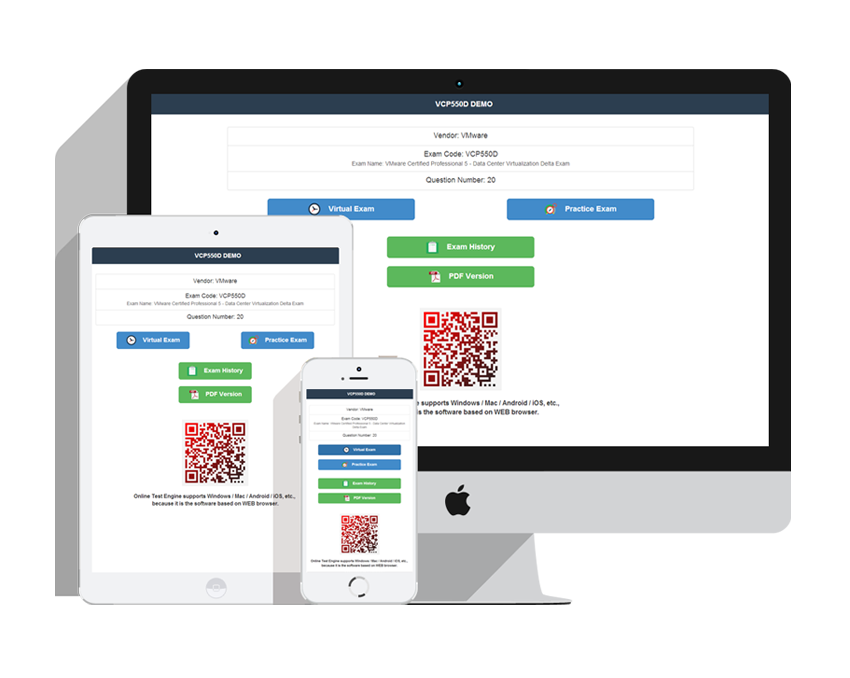
The MO-201 exam does not care how busy you are. PracticeTorrent adapts to your schedule with three formats — printable PDF, Windows software, and a web-based online engine that works on Windows, Mac, Android, and iOS — all carrying the same 25 practice questions for the Microsoft Excel Expert (Excel and Excel 2019) exam.
| Certification Vendor: | Microsoft |
|---|---|
| Exam Name: | Microsoft Excel Expert (Excel and Excel 2019) |
| Exam Number: | MO-201 |
| Exam Duration: | 50 minutes |
| Available Languages: | Korean, Japanese, Spanish, German, French, Chinese (Traditional), Chinese (Simplified), English |
| Real Exam Qty: | 25-30 performance-based tasks |
| Related Certifications: | Microsoft Office Specialist: Expert (Office 2019) Microsoft Office Specialist: Excel Associate (Excel and Excel 2019) |
| Exam Price: | USD 100 (region-dependent) |
| Certificate Validity Period: | No expiration |
| Exam Format: | Computer-based, Hands-on Excel tasks, Performance-based |
| Passing Score: | 700/1000 |
| Sample Questions: |  |
| Exam Way: | Delivered through Certiport testing centers or online proctored testing where available. |
| Pre Condition: | No formal prerequisite. Microsoft recommends approximately 150 hours of instruction and hands-on experience with Excel. Excel Associate certification is recommended before pursuing Expert-level certification. |
| Official Syllabus URL: | https://learn.microsoft.com/en-us/credentials/certifications/mos-excel-expert-2019/ |
| Section | Weight | Objectives |
|---|---|---|
| Manage Workbook Options and Settings | 10-15% | - Configure language and accessibility options
|
| Manage and Format Data | 30-35% | - Manage data
|
| Manage Advanced Charts and Tables | 25-30% | - Create advanced charts
|
| Create Advanced Formulas and Macros | 25-30% | - Create and manage macros
|
No formal prerequisite. Microsoft recommends approximately 150 hours of instruction and hands-on experience with Excel. Excel Associate certification is recommended before pursuing Expert-level certification. These requirements are set by Microsoft and can change, so confirm the current rules on the official exam page: https://learn.microsoft.com/en-us/credentials/certifications/mos-excel-expert-2019/ before registering for the Microsoft Excel Expert (Excel and Excel 2019) exam.
Delivery is instant: your MO-201 product is emailed within one minute of payment — download the attachment and start. If nothing arrives within 2 hours, check spam and contact support for an immediate resend. On failure: sit the corresponding MO-201 exam within 60 days of purchase, submit a scanned enrollment slip and the official Score Report PDF within 2 days after the exam, and the refund completes within 7 days. The policy covers the corresponding exam only; attempts within 3 days of purchase, exams never actually taken, free materials, and expired orders are excluded, and the candidate name must match the payer name. If you prefer, exchange your product for two free exam products of equal value and keep the update service on the original.
The Microsoft Excel Expert (Excel and Excel 2019) exam contains 25-30 performance-based tasks questions within 50 minutes. The ratio is the real challenge — content alone does not finish the exam, pacing does. Run full timed sessions in the PracticeTorrent test engine until finishing early feels normal on the real MO-201 exam.
Microsoft spreads the Microsoft Excel Expert (Excel and Excel 2019) syllabus over 4 areas, led by Manage Workbook Options and Settings (10-15%), Manage and Format Data (30-35%), Manage Advanced Charts and Tables (25-30%). Study proportionally to those shares — the complete outline is in the section above this page.
The MO-201 exam is Microsoft's official certification test — passing it earns the Microsoft Office Specialist credential at the Expert level. It measures practical IT ability objectively, which is why employers treat the Microsoft Excel Expert (Excel and Excel 2019) certificate as a reliable signal — and why candidate numbers keep growing. It also relates to Microsoft Office Specialist: Excel Associate (Excel and Excel 2019), Microsoft Office Specialist: Expert (Office 2019), extending its value further.
Each Microsoft Excel Expert (Excel and Excel 2019) attempt costs USD 100 (region-dependent), with 700/1000 as the pass mark. A retake charges the full fee again, so the smart move is arriving overprepared. Practice with PracticeTorrent until your timed mock scores clear 700/1000 comfortably, then book the MO-201 exam once.
Yes — PracticeTorrent offers a free demo of the Microsoft Excel Expert (Excel and Excel 2019) questions, including a part of the material, so you can download and judge before you decide. After purchase, 365 days of free updates are included; once the year ends, extend the update service at a 50% discount from your member zone.
SIMULATION
Instructions
Exam Environment
Exam Interface and Controls
The exam panel provides access to the project task(s). Each project has an associated file in which you will perform the project tasks.
1. Project file
2. Split bar
3. Exam panel
You can modify the exam interface to fit your needs in the following ways:
* To increase or decrease the exam panel font size, press Ctrl+Plus or Ctrl+Minus.
* To change the height of the exam panel, drag the split bar between the project file and the exam panel.
* To restore the interface to the default appearance, click the Restore button near the upper-right corner of the exam panel.
4. The Information bar at the top of the exam panel displays the current project and total number of
Correct Answer: B 🗳️
SIMULATION
Instructions
Exam Environment
Exam Interface and Controls
The exam panel provides access to the project task(s). Each project has an associated file in which you will perform the project tasks.
1. Project file
2. Split bar
3. Exam panel
You can modify the exam interface to fit your needs in the following ways:
* To increase or decrease the exam panel font size, press Ctrl+Plus or Ctrl+Minus.
* To change the height of the exam panel, drag the split bar between the project file and the exam panel.
* To restore the interface to the default appearance, click the Restore button near the upper-right corner of the exam panel.
4. The Information bar at the top of the exam panel displays the current project and total number of projects, the remaining exam time, and the following commands:
* Collapse Panel. Minimizes the exam panel to provide more space for the project file.
* Restart Project. Closes and reopens the current project file without saving your changes.
* Submit Project. Saves your changes, submits the project file, and moves to the next project.
* Calculator. A calculator is available in some exams. You are not required to use the calculator.
* Restore. Restores the size and position of the project file and exam panel to the defaults.
* Help. Displays information about the exam interface.
5. The Content area displays the task tabs and the current task description.
6. The Navigation area at the bottom of the exam panel contains the following commands.
* Previous Task/Next Task. Saves your response and moves to the previous or next task in the current project.
* Leave feedback after exam. Flags the task to indicate that you want to leave feedback about it after the exam.
* Mark for review. Flags the task to indicate that you want to return to it before you finish the exam.
* Mark as complete. Flags the task to indicate that you feel you have completed the task.
In projects that contain multiple tasks, you can switch between tasks by clicking the task tab, Next Task button, or Previous Task button.
End of the instructions.
On the "New Products" worksheet, create a Histogram chart that shows the "Retail Price" of the products in bins with widths of $10.
The chart size and position do not matter.


Correct Answer: B 🗳️
Explanation: Only visible for PracticeTorrent members. You can sign-up / login (it's free).
SIMULATION
Instructions
Exam Environment
Exam Interface and Controls
The exam panel provides access to the project task(s). Each project has an associated file in which you will perform the project tasks.
1. Project file
2. Split bar
3. Exam panel
You can modify the exam interface to fit your needs in the following ways:
* To increase or decrease the exam panel font size, press Ctrl+Plus or Ctrl+Minus.
* To change the height of the exam panel, drag the split bar between the project file and the exam panel.
* To restore the interface to the default appearance, click the Restore button near the upper-right corner of the exam panel.
4. The Information bar at the top of the exam panel displays the current project and total number of projects, the remaining exam time, and the following commands:
* Collapse Panel. Minimizes the exam panel to provide more space for the project file.
* Restart Project. Closes and reopens the current project file without saving your changes.
* Submit Project. Saves your changes, submits the project file, and moves to the next project.
* Calculator. A calculator is available in some exams. You are not required to use the calculator.
* Restore. Restores the size and position of the project file and exam panel to the defaults.
* Help. Displays information about the exam interface.
5. The Content area displays the task tabs and the current task description.
6. The Navigation area at the bottom of the exam panel contains the following commands.
* Previous Task/Next Task. Saves your response and moves to the previous or next task in the current project.
* Leave feedback after exam. Flags the task to indicate that you want to leave feedback about it after the exam.
* Mark for review. Flags the task to indicate that you want to return to it before you finish the exam.
* Mark as complete. Flags the task to indicate that you feel you have completed the task.
In projects that contain multiple tasks, you can switch between tasks by clicking the task tab, Next Task button, or Previous Task button.
End of the instructions.
On the "Year-to-Date Sales" worksheet, in cells L5:L15, enter a formula that returns the average "Total Sales" for the region in cell J5 and the "Representative" in cell K5.
Correct Answer: A 🗳️
Explanation: Only visible for PracticeTorrent members. You can sign-up / login (it's free).
Viewing page 1 out of 9 pages.
Viewing questions 1-3 out of 25 questions.
Over 81356+ Satisfied Customers
Best exam practise software by PracticeTorrent. I achieved 96% marks. Highly suggest all to buy the pdf file.
Drew
I had high hopes of passing after using these MO-201 exam questions, and i am so lucky. I met the same questions and passed the MO-201 exam.
 Leona
Leona
I just want to let you know I passed my MO-201 exam today. My roommate introduced PracticeTorrent to me and he said your MO-201 study dumps are quite effective.
 Montague
Passing the MO-201 exam is really difficult. Although the price is expensive to me, it is totally worthy it. Guys, don't hesitant, it is valid!
 Novia
Novia 
When i passed MO-201 exam yesterday with no relevent course and knowledge, i can say that anybody who buy this MO-201 practice guide can pass the exam as me.
 Dorothy
There are about 15 new questions but the explanations here help figure out the answers. I passed yesterday using this dump and Sacriestory.
 Erica
Erica
The preparation was perfect for the curve ball questions that are planted in the MO-201 exam.
 Milo
Milo
I passed highly in my MO-201 exam last week! This MO-201 exam file is valid! Thank you for your excellent work!
 Catherine
Guys, come on! This is so little to pay for this MO-201 exam questions, and it is valid. I passed the exam with it on this Tuesday. Very valid!
 Ann
Ann
I bought the APP online version which works well on my MAC OS and i had a happy study experience with it. Though i have passed the exam, still i use these MO-201 exam questions to learn knowledge.
 Carl
Carl
with PracticeTorrent MO-201 study materials, you will pass the test smoothly, just like me, I have passed already with the actual MO-201 training materials.
 Violet
I was determined to pass this MO-201 exam even though it might look unrealistic to revise within the 2 weeks. I’m lucky that i had the MO-201 practice test from you and passed with these accurate exam dumps.
 Samantha
Passed my MO-201 exam yesterday, the MO-201 exam material is straight forward for you to pass the exam.
 Lou
Lou
PracticeTorrent Practice Exams are written to the highest standards of technical accuracy, using only certified subject matter experts and published authors for development - no all study materials.
We are committed to the process of vendor and third party approvals. We believe professionals and executives alike deserve the confidence of quality coverage these authorizations provide.
If you prepare for the exams using our PracticeTorrent testing engine, It is easy to succeed for all certifications in the first attempt. You don't have to deal with all dumps or any free torrent / rapidshare all stuff.
PracticeTorrent offers free demo of each product. You can check out the interface, question quality and usability of our practice exams before you decide to buy.










Get the high score and achieve the certification with our latest practice torrent. The complete exam prep torrent contains the questions & answers which are related to the actual test. You can pass your actual test at first attempt.
Copyright © 2026 PracticeTorrent NETWORK CO.,LIMITED. All Rights Reserved. All trademarks used are properties of their respective owners. Privacy Policy
