

It's unbelievable that your MO-201 study guides are the real questions.
 Enoch
Enoch 


 PDF Version Demo


Good materials should feel easy from the first click. PracticeTorrent built its MO-201 question bank for clarity — main points that are easy to acquire, content that reads cleanly, and a free demo so you can confirm the Microsoft Excel Expert (Excel and Excel 2019) quality before paying.
| Certification Vendor: | Microsoft |
|---|---|
| Exam Name: | Microsoft Excel Expert (Excel and Excel 2019) |
| Exam Number: | MO-201 |
| Passing Score: | 700/1000 |
| Available Languages: | Chinese (Traditional), Chinese (Simplified), Korean, English, Spanish, German, Japanese, French |
| Real Exam Qty: | 25-30 performance-based tasks |
| Certificate Validity Period: | No expiration |
| Exam Price: | USD 100 (region-dependent) |
| Related Certifications: | Microsoft Office Specialist: Excel Associate (Excel and Excel 2019) Microsoft Office Specialist: Expert (Office 2019) |
| Exam Duration: | 50 minutes |
| Exam Format: | Performance-based, Computer-based, Hands-on Excel tasks |
| Sample Questions: |  |
| Exam Way: | Delivered through Certiport testing centers or online proctored testing where available. |
| Pre Condition: | No formal prerequisite. Microsoft recommends approximately 150 hours of instruction and hands-on experience with Excel. Excel Associate certification is recommended before pursuing Expert-level certification. |
| Official Syllabus URL: | https://learn.microsoft.com/en-us/credentials/certifications/mos-excel-expert-2019/ |
| Section | Weight | Objectives |
|---|---|---|
| Manage Workbook Options and Settings | 10-15% | - Configure language and accessibility options
|
| Manage Advanced Charts and Tables | 25-30% | - Create advanced charts
|
| Create Advanced Formulas and Macros | 25-30% | - Create advanced formulas
|
| Manage and Format Data | 30-35% | - Manage data
|
Immediately and easily. Upon successful payment, our system sends the product file to your mailbox automatically — typically within about a minute — with an instant download link as well. If nothing arrives within two hours, check your spam folder and contact support. Installations are unlimited, the PDF supports printing for paper-based review, and your purchase includes 365 days of free updates: whenever the exam content changes, the latest version reaches you automatically, with a 50% renewal discount after the year ends.
The Microsoft Excel Expert (Excel and Excel 2019) blueprint covers these principal domains:
The remaining domains appear in the full official outline, all of which our bank addresses.
As of the latest information, the passing score for the MO-201 exam is 700/1000 and the fee is USD 100 (region-dependent). Microsoft can revise both, so confirm the current figures on the official site before registering.
Documented and dependable. If you fail the corresponding exam within 60 days of purchase, email us a scanned copy of your enrollment slip and your official Score Report PDF within two days of the exam date; verified claims are refunded in full within seven days. Exclusions apply: exams taken within three days of purchase, candidate names that do not match the payer, and free or expired products. Alternatively, request a free exchange for two products of equal value.
Microsoft lists the following prerequisites for the Microsoft Excel Expert (Excel and Excel 2019): No formal prerequisite. Microsoft recommends approximately 150 hours of instruction and hands-on experience with Excel. Excel Associate certification is recommended before pursuing Expert-level certification..
Confirm the details on the official certification page before you book.
Per current exam information, the MO-201 exam includes 25-30 performance-based tasks questions and allows 50 minutes minutes. Timed practice beforehand makes the format feel routine on the day.
Because every step respects your time. Buying is a simple, transparent procedure: choose your version or package, see the cost generated automatically, confirm, and order — then the materials arrive by email in about a minute. The MO-201 content is clear, the main points easy to acquire, and every answer expert-verified; the PDF prints for paper review. When the exam changes, our experts devote their energy to immediate research and revision, and critical comments trigger improvement measures as soon as possible. A free demo lets you run a mini-test and confirm quality first, and your personal information is protected on an integrity-based platform throughout.
SIMULATION
Instructions
Exam Environment
Exam Interface and Controls
The exam panel provides access to the project task(s). Each project has an associated file in which you will perform the project tasks.
1. Project file
2. Split bar
3. Exam panel
You can modify the exam interface to fit your needs in the following ways:
* To increase or decrease the exam panel font size, press Ctrl+Plus or Ctrl+Minus.
* To change the height of the exam panel, drag the split bar between the project file and the exam panel.
* To restore the interface to the default appearance, click the Restore button near the upper-right corner of the exam panel.
4. The Information bar at the top of the exam panel displays the current project and total number of projects, the remaining exam time, and the following commands:
* Collapse Panel. Minimizes the exam panel to provide more space for the project file.
* Restart Project. Closes and reopens the current project file without saving your changes.
* Submit Project. Saves your changes, submits the project file, and moves to the next project.
* Calculator. A calculator is available in some exams. You are not required to use the calculator.
* Restore. Restores the size and position of the project file and exam panel to the defaults.
* Help. Displays information about the exam interface.
5. The Content area displays the task tabs and the current task description.
6. The Navigation area at the bottom of the exam panel contains the following commands.
* Previous Task/Next Task. Saves your response and moves to the previous or next task in the current project.
* Leave feedback after exam. Flags the task to indicate that you want to leave feedback about it after the exam.
* Mark for review. Flags the task to indicate that you want to return to it before you finish the exam.
* Mark as complete. Flags the task to indicate that you feel you have completed the task.
In projects that contain multiple tasks, you can switch between tasks by clicking the task tab, Next Task button, or Previous Task button.
End of the instructions.
On the "Year-to-Date Sales" worksheet, in cells L5:L15, enter a formula that returns the average "Total Sales" for the region in cell J5 and the "Representative" in cell K5.
Correct Answer: A 🗳️
Explanation: Only visible for PracticeTorrent members. You can sign-up / login (it's free).
SIMULATION
Instructions
Exam Environment
Exam Interface and Controls
The exam panel provides access to the project task(s). Each project has an associated file in which you will perform the project tasks.
1. Project file
2. Split bar
3. Exam panel
You can modify the exam interface to fit your needs in the following ways:
* To increase or decrease the exam panel font size, press Ctrl+Plus or Ctrl+Minus.
* To change the height of the exam panel, drag the split bar between the project file and the exam panel.
* To restore the interface to the default appearance, click the Restore button near the upper-right corner of the exam panel.
4. The Information bar at the top of the exam panel displays the current project and total number of projects, the remaining exam time, and the following commands:
* Collapse Panel. Minimizes the exam panel to provide more space for the project file.
* Restart Project. Closes and reopens the current project file without saving your changes.
* Submit Project. Saves your changes, submits the project file, and moves to the next project.
* Calculator. A calculator is available in some exams. You are not required to use the calculator.
* Restore. Restores the size and position of the project file and exam panel to the defaults.
* Help. Displays information about the exam interface.
5. The Content area displays the task tabs and the current task description.
6. The Navigation area at the bottom of the exam panel contains the following commands.
* Previous Task/Next Task. Saves your response and moves to the previous or next task in the current project.
* Leave feedback after exam. Flags the task to indicate that you want to leave feedback about it after the exam.
* Mark for review. Flags the task to indicate that you want to return to it before you finish the exam.
* Mark as complete. Flags the task to indicate that you feel you have completed the task.
In projects that contain multiple tasks, you can switch between tasks by clicking the task tab, Next Task button, or Previous Task button.
End of the instructions.
On the "Sales Conference" worksheet, configure cells A4:A12 to allow only whole numbers from 1 to 9. Otherwise, display a Stop error with the title "Invalid" and the message "1 to 9".


Correct Answer: A 🗳️
Explanation: Only visible for PracticeTorrent members. You can sign-up / login (it's free).
SIMULATION
Instructions
Exam Environment
Exam Interface and Controls
The exam panel provides access to the project task(s). Each project has an associated file in which you will perform the project tasks.
1. Project file
2. Split bar
3. Exam panel
You can modify the exam interface to fit your needs in the following ways:
* To increase or decrease the exam panel font size, press Ctrl+Plus or Ctrl+Minus.
* To change the height of the exam panel, drag the split bar between the project file and the exam panel.
* To restore the interface to the default appearance, click the Restore button near the upper-right corner of the exam panel.
4. The Information bar at the top of the exam panel displays the current project and total number of projects, the remaining exam time, and the following commands:
* Collapse Panel. Minimizes the exam panel to provide more space for the project file.
* Restart Project. Closes and reopens the current project file without saving your changes.
* Submit Project. Saves your changes, submits the project file, and moves to the next project.
* Calculator. A calculator is available in some exams. You are not required to use the calculator.
* Restore. Restores the size and position of the project file and exam panel to the defaults.
* Help. Displays information about the exam interface.
5. The Content area displays the task tabs and the current task description.
6. The Navigation area at the bottom of the exam panel contains the following commands.
* Previous Task/Next Task. Saves your response and moves to the previous or next task in the current project.
* Leave feedback after exam. Flags the task to indicate that you want to leave feedback about it after the exam.
* Mark for review. Flags the task to indicate that you want to return to it before you finish the exam.
* Mark as complete. Flags the task to indicate that you feel you have completed the task.
In projects that contain multiple tasks, you can switch between tasks by clicking the task tab, Next Task button, or Previous Task button.
End of the instructions.
On the "Royalties" worksheet, the existing formula in the "Royalty Due" column calculates the royalties due to each author. On cell F4, modify the existing formula to return the amount of royalties due to the author only if the amount is greater than $25, and otherwise returns 0.
Correct Answer: B 🗳️
Explanation: Only visible for PracticeTorrent members. You can sign-up / login (it's free).
Viewing page 1 out of 9 pages.
Viewing questions 1-3 out of 25 questions.
Over 81356+ Satisfied Customers
It's unbelievable that your MO-201 study guides are the real questions.
Enoch
Bro, this MO-201 exam dump is goot to pass! Yes, you must study it! Good luck!
 Marshall
Best study material for MO-201 exam. I was able to score 94% marks in the exam with the help of content by PracticeTorrent. Many thanks to PracticeTorrent.
 Duke
Duke 
MO-201 exam cram was high-quality, and it saved me plenty of time for the preparation, and thanks a lot.
 Morgan
Sample exams help a lot to prepare for the MO-201 certification exam. I could only spare 3 hours a day to study and manage my professional career. PracticeTorrent helped me pass the exam with flying colours.
 Tobias
I Passed MO-201 exam with about 95%. It is totally out of my expection. Valid and latest MO-201 exam questions!
 Melissa
You don't need a lot of study and memory, plus work knowledge for solving issue on the question. what you need is this MO-201 study guide, then you will pass the exam! Believe me, for i have got the certification with it!
 Dora
Dora
Your MO-201 study dumps is very useful! I have got my certification now. Thank you!
 Brook
Brook
PracticeTorrent Practice Exams are written to the highest standards of technical accuracy, using only certified subject matter experts and published authors for development - no all study materials.
We are committed to the process of vendor and third party approvals. We believe professionals and executives alike deserve the confidence of quality coverage these authorizations provide.
If you prepare for the exams using our PracticeTorrent testing engine, It is easy to succeed for all certifications in the first attempt. You don't have to deal with all dumps or any free torrent / rapidshare all stuff.
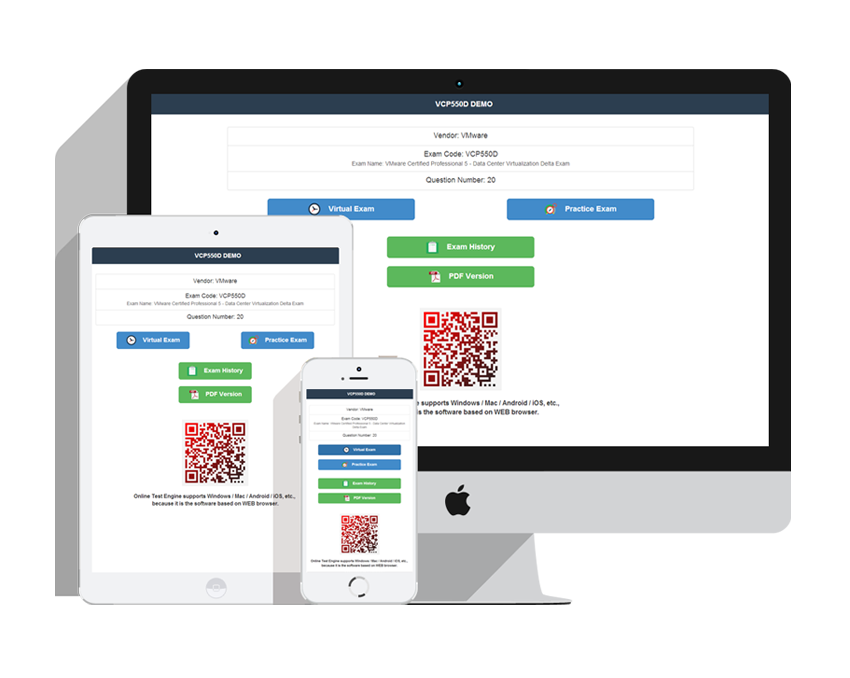
PracticeTorrent offers free demo of each product. You can check out the interface, question quality and usability of our practice exams before you decide to buy.










Get the high score and achieve the certification with our latest practice torrent. The complete exam prep torrent contains the questions & answers which are related to the actual test. You can pass your actual test at first attempt.
Copyright © 2026 PracticeTorrent NETWORK CO.,LIMITED. All Rights Reserved. All trademarks used are properties of their respective owners. Privacy Policy
