

Tableau Desktop Specialist (TDS-C01日本語版) : TDS-C01日本語
- Exam Code: TDS-C01-JPN
- Exam Name: Tableau Desktop Specialist (TDS-C01日本語版)
- Updated: Nov 10, 2026 Q & A: 138 Questions and Answers

 PDF Version Demo

PC Test Engine
Tableau TDS-C01日本語 Value Pack (Frequently Bought Together)

- If you purchase Tableau TDS-C01日本語 Value Pack, you will also own the free online test engine.
- PDF Version + PC Test Engine + Online Test Engine
- Value Pack Total: $139.98 $89.99
About Tableau TDS-C01日本語 Exam
The information century rewards the certified. PracticeTorrent helps you join them with 138 practice questions for the Tableau Desktop Specialist (TDS-C01日本語版) exam, McAfee-secured checkout, and a written refund policy tied to your real exam result — no slogans required.
Tableau TDS-C01日本語 Exam Overview:
| Certification Vendor: | Tableau (Salesforce) |
|---|---|
| Exam Name: | Tableau Desktop Specialist Certification Exam |
| Exam Number: | TDS-C01 |
| Available Languages: | English |
| Exam Format: | Multiple choice, Multiple select |
| Exam Duration: | 60 minutes |
| Real Exam Qty: | Approximately 30 |
| Certificate Validity Period: | 2 years |
| Related Certifications: | Tableau Certified Data Analyst Tableau Server Certified Associate |
| Passing Score: | 70% |
| Exam Price: | $100 USD |
| Recommended Training: | Tableau Desktop Specialist Learning Path Tableau Free Training Videos |
| Exam Registration: | Tableau Desktop Specialist Exam Page Tableau Certification Registration |
| Sample Questions: |  |
| Exam Way: | Online proctored exam via Tableau Certification portal or authorized testing platform |
| Pre Condition: | No formal prerequisites required |
| Official Syllabus URL: | https://www.tableau.com/learn/certification/tableau-desktop-specialist |
Tableau TDS-C01日本語 Exam Syllabus Topics:
| Section | Weight | Objectives |
|---|---|---|
| Using Tableau Desktop | 25% | - Visualization building
|
| Understanding Tableau Concepts | 20% | - Data organization concepts
|
| Working with Data | 30% | - Data manipulation
|
| Connecting to and Preparing Data | 25% | - Connect to data sources
|
TDS-C01日本語 Exam: Frequently Asked Questions
Tableau lists these recommended training resources for the Tableau Desktop Specialist (TDS-C01日本語版) exam:
Official training plus consistent self-testing is a proven combination — the 138 practice questions from PracticeTorrent handle the second half.
PracticeTorrent issues a full refund if you take the Tableau Desktop Specialist (TDS-C01日本語版) exam within 60 days of purchase and do not pass. The policy does not apply if the exam is taken within 3 days of purchase, if the exam was never actually taken, or to free materials or expired orders, and the candidate name must match the payer name. Claims require a scan of your enrollment slip and the official Score Report PDF, submitted within 2 days of the exam, and are processed within 7 days. As an alternative, you can exchange for two free exam products of equal value while keeping your original update service. Orders arrive by email within 1 minute — contact support if nothing shows up within 2 hours.
The Tableau Desktop Specialist (TDS-C01日本語版) exam presents Approximately 30 with 60 minutes to complete them. Practicing under the same clock in the PracticeTorrent Desktop Test Engine makes the real pacing feel routine.
Online proctored exam via Tableau Certification portal or authorized testing platform Registration for the Tableau Desktop Specialist (TDS-C01日本語版) exam goes through these official channels:
After booking, the PracticeTorrent practice questions reach your inbox within 1 minute — preparation can start the same day.
The official Tableau Desktop Specialist (TDS-C01日本語版) outline defines 4 domains. The leading three are Understanding Tableau Concepts (20%), Connecting to and Preparing Data (25%), and Working with Data (30%). See the complete list in the topics section above — the 138 practice questions at PracticeTorrent cover every domain.
The TDS-C01日本語 exam is a Tableau certification exam built on the Tableau Desktop Specialist (TDS-C01日本語版) syllabus shown above. It contributes to these credential paths: Tableau Certified Data Analyst, Tableau Server Certified Associate. As information technology keeps reshaping how industries operate, certified skills remain one of the most portable proofs of capability in 2026. PracticeTorrent prepares you with 138 practice questions in PDF, Desktop Test Engine, and Online Test Engine formats.
Passing the Tableau Desktop Specialist (TDS-C01日本語版) exam requires 70%, and the registration fee is $100 USD. A retake costs the same amount again — a practical reason to verify your readiness with the PracticeTorrent engines before booking.
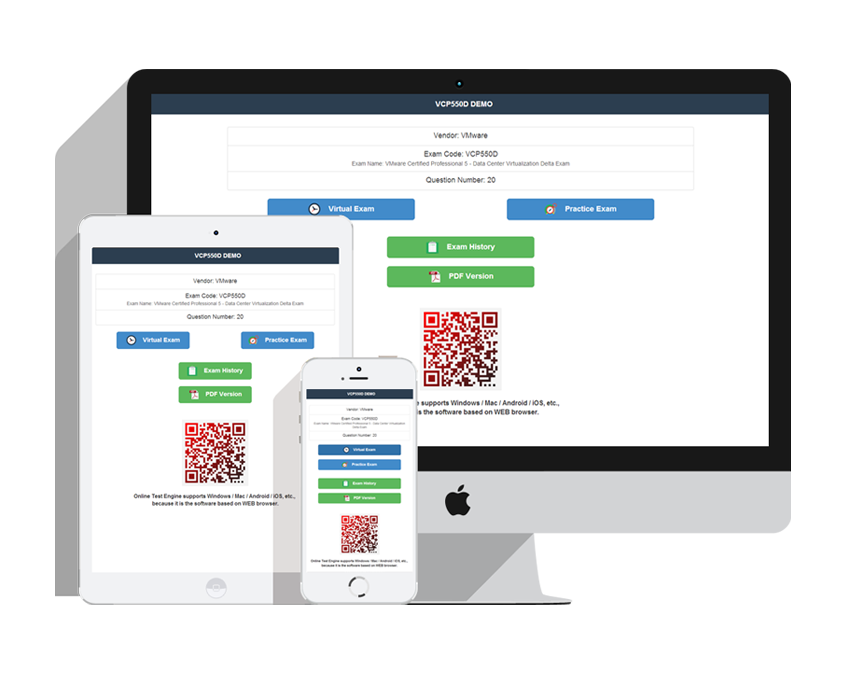
The full Tableau Desktop Specialist (TDS-C01日本語版) preparation set at an affordable, small-profits price: 138 practice questions in three formats — a printable, expert-prepared PDF with instant download; a Desktop Test Engine for Windows that simulates the real exam with two practice modes and works offline; and an Online Test Engine for any browser on Windows, Mac, Android, and iOS with test history and performance review. A free demo is available anytime, updates are free for 365 days, renewal afterward is 50% off, installations are unlimited, and checkout is McAfee-secured with automatic encryption of your personal information.
No formal prerequisites required Policies change over time, so confirm the current rules on the official Tableau exam page before scheduling.
Tableau Desktop Specialist (TDS-C01日本語版) Sample Questions:
行または列ごとに独立して太字の書式を適用するには、何を使用すればよいですか?
- A. マークスカードのテキスト
- B. [書式設定] フォント ペインの [行] タブまたは [列] タブ
- C. フィールド書式フォントペイン
- D. 書式設定パネルの「シート」タブ(フォント)。
Correct Answer: B 🗳️
Explanation: Only visible for PracticeTorrent members. You can sign-up / login (it's free).
二重軸グラフは、2 つの指標を比較するのに役立ちます。
- A. 異なるスケールを持つ
- B. 表計算
- C. 集約された次元
- D. 共通点がほとんどない
Correct Answer: A 🗳️
デフォルト以外の図形パレットを選択するにはどうすればよいですか?
- A. マークカード上部のドロップダウンメニューをクリックして、「自動」から変更します。
- B. [マーク]カードで[図形]を選択し、[図形の編集]ダイアログボックスのドロップダウンメニューを使用します。
- C. [データソース]タブから[データに接続]を選択して、他のシェイプパレットをインポートします。
- D. ファイルメニューから「ブックのインポート」を選択して、他の図形パレットをインポートします。
Correct Answer: B 🗳️
Explanation: Only visible for PracticeTorrent members. You can sign-up / login (it's free).
散布図の視覚化ができました。
視覚化を密度マップとして構成するにはどうすればよいですか?
- A. ビューのマークの形状を変更します。
- B. ビューのマークの種類を変更します。
- C. カスタム カラー パレットを作成します。
- D. [表示] からヒート マップを選択します。
Correct Answer: B 🗳️
Explanation: Only visible for PracticeTorrent members. You can sign-up / login (it's free).
どのような状況でエイリアスを割り当てるべきですか?(2つ選択してください。)
- A. ディメンションフィールドの値に代替名を割り当てる
- B. 一次データソースのデータを二次データソースのデータで補完する
- C. メジャー内の値に別の名前を割り当てる
- D. フィールド内のすべてのデータ値の名前を変更する
Correct Answer: A,D 🗳️
Explanation: Only visible for PracticeTorrent members. You can sign-up / login (it's free).
Viewing page 1 out of 28 pages.
Viewing questions 1-5 out of 138 questions.


Related Exams
Related Certifications
Over 81356+ Satisfied Customers
Popular Vendors
What Clients Say About Us
Why Choose Us
-
QUALITY AND VALUE
PracticeTorrent Practice Exams are written to the highest standards of technical accuracy, using only certified subject matter experts and published authors for development - no all study materials.
-
TESTED AND APPROVED
We are committed to the process of vendor and third party approvals. We believe professionals and executives alike deserve the confidence of quality coverage these authorizations provide.
-
EASY TO PASS
If you prepare for the exams using our PracticeTorrent testing engine, It is easy to succeed for all certifications in the first attempt. You don't have to deal with all dumps or any free torrent / rapidshare all stuff.
-
TRY BEFORE BUY
PracticeTorrent offers free demo of each product. You can check out the interface, question quality and usability of our practice exams before you decide to buy.
Our Clients











Get the high score and achieve the certification with our latest practice torrent. The complete exam prep torrent contains the questions & answers which are related to the actual test. You can pass your actual test at first attempt.
Tags
- KCNA practice torrentMay 28, 2022
- AZ-104J practice torrentMay 28, 2022
- AB-410 practice torrentMay 28, 2022
- NS0-516 practice torrentMay 28, 2022
Contact Us
From Monday to Saturday
Support: Contact now
If you have any question please leave me your email address, we will reply and send email to you in 12 hours.
Copyright © 2026 PracticeTorrent NETWORK CO.,LIMITED. All Rights Reserved. All trademarks used are properties of their respective owners. Privacy Policy